Wondering how your logo performs? 🧐

Get professional logo reviews in seconds and catch design issues in time.

Try it Now!

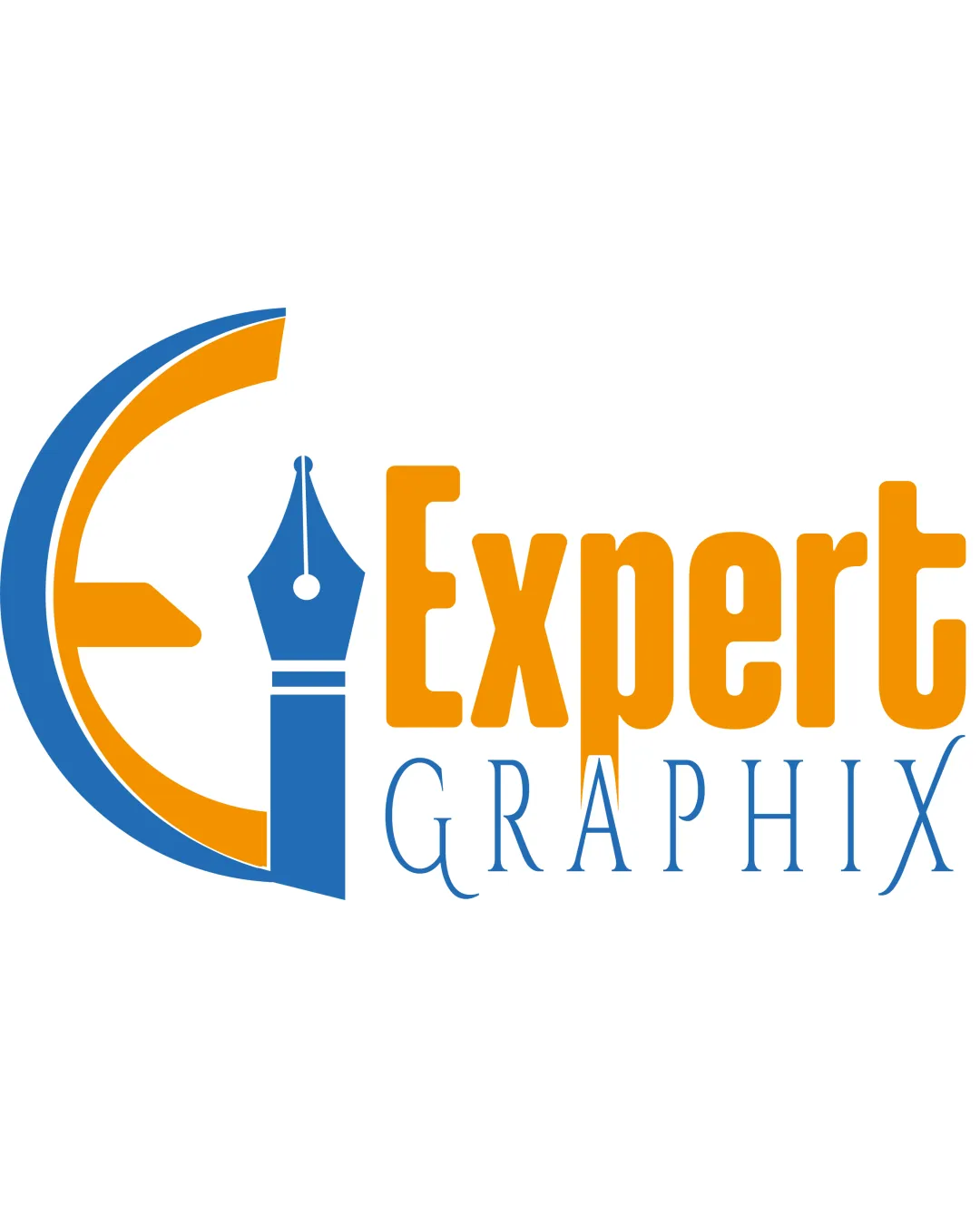
Logo review of Expert Graphix

Zoom icon Logo analysis by AI

Logo type: Combination mark

Style: Modern

Detected symbol: E letter with pen nib

Detected text: Expert Graphix

Business industry: Graphic design

Review requested by Inyamibwa

**If AI can recognize or misinterpret it, so can people.

Structured logo review

4 / 5

Legibility

Checkmark icon The text is clear and easily readable.
Checkmark icon Choice of contrasting colors enhances visibility.

Warning icon The word 'GRAPHIX' is in a thinner font, which reduces readability slightly at small sizes.
3 / 5

Scalability versatility

Checkmark icon The simple shapes can be resized easily without loss of identity.

Warning icon The thin lines in 'GRAPHIX' may get lost in very small sizes or low-resolution applications.

logo 200x250 pixels scalability test

200x250 px

logo 100x125 pixels scalability test

100×125 px

logo 50x62 pixels scalability test

50×62 px

3 / 5

Balance alignment

Checkmark icon Overall balance is achieved by the positioning of symbols and text.

Warning icon The alignment between 'EXPERT' and 'GRAPHIX' could be improved for better visual harmony.

logo 200x250 pixels scalability test alignment grid overlay
3 / 5

Originality

Checkmark icon Creative use of the pen nib symbol to represent design.

Warning icon The symbol of a pen nib is commonly used in graphic industry logos.

4 / 5

Logomark wordmark fit

Checkmark icon The pen nib symbol and 'EXPERT' wordmark integrate smoothly.

Warning icon The transition between the symbol and wordmark can be further refined for cohesion.

4 / 5

Aesthetic look

Checkmark icon Vibrant color scheme adds modern appeal.
Checkmark icon Balanced use of shapes enhances professional appearance.

Warning icon The contrasting styles of the fonts ('EXPERT' and 'GRAPHIX') could be harmonized better.

5 / 5

Dual meaning and misinterpretations

Checkmark icon No evident misinterpretations in the design.

4 / 5

Color harmony

Checkmark icon The complementary colors create a vivid appearance.

Warning icon The colors might not be as effective in monochrome applications.